
Installation de Windows XP
Prérequis : Procéder une image d'installation de Windows XP
Etape 1 : Télécharger WinSetupFromUSB-1-10
Etape 2 : Configuration :
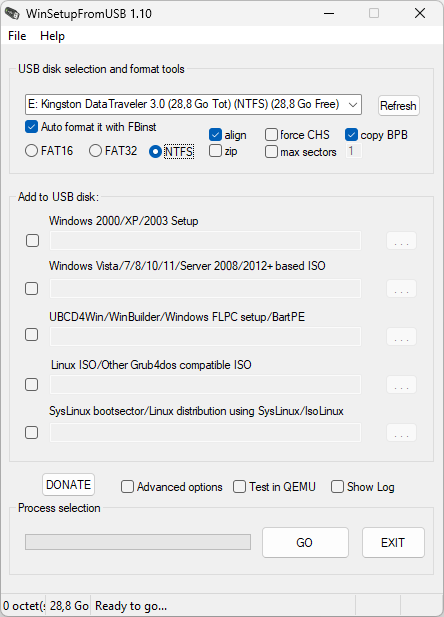
Etape 3 : Extraire les fichiers de l'iso
Etape 4 : Cocher la cache : Windows 2000/XP/2003 Setup
Etape 5 : Sélectionner le dossier d'installation de Windows XP après l'extraction
Etape 6 : GO !
Etape 7 : Booter sur la clef USB
Etape 8 : Sélectionner : 3 First part of XP setup from partition 0
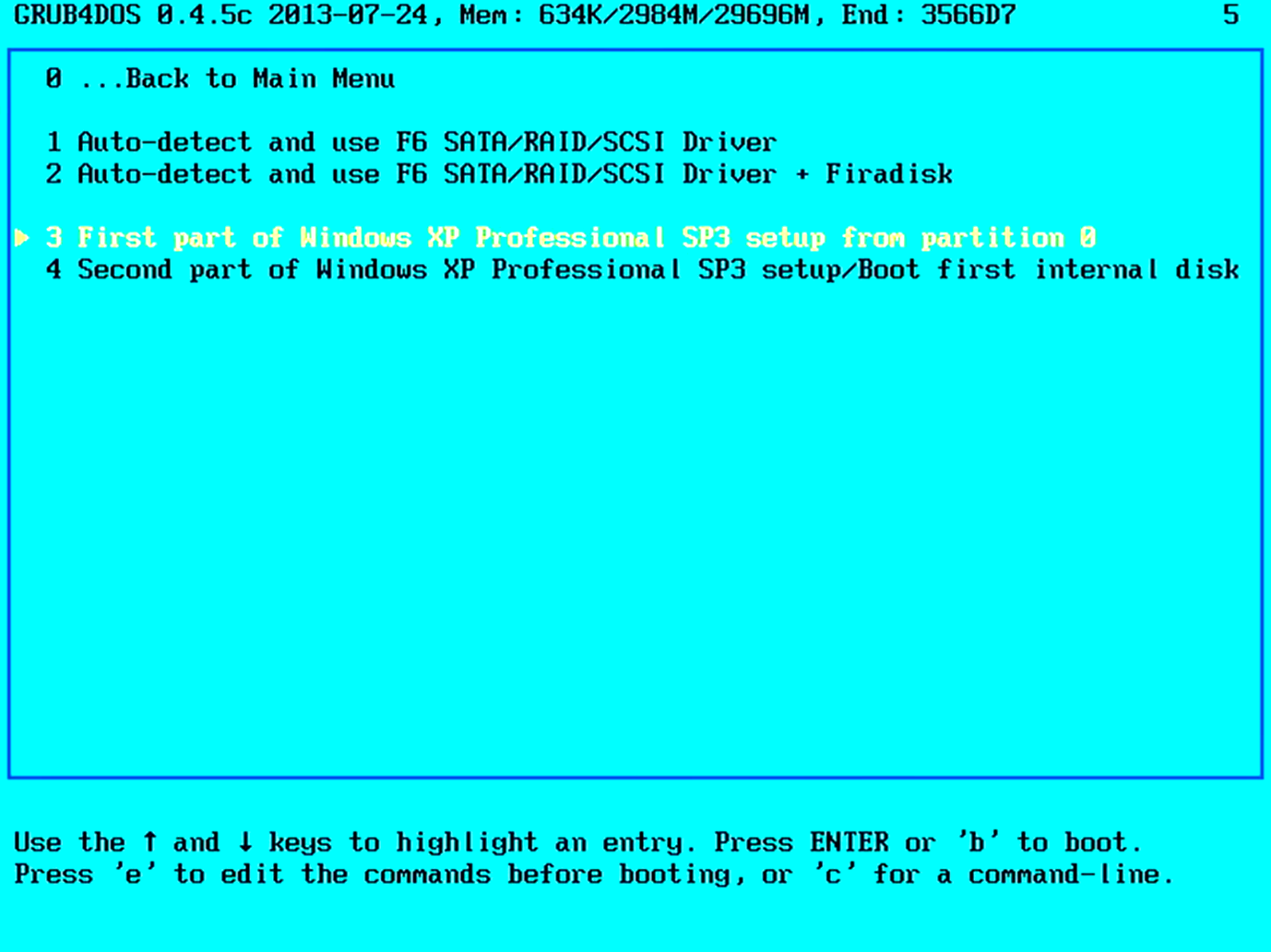
Suivre les étapes d'installation de Windows XP. Une fois terminé, le pc redémarre.
Etape 8 : Au redémarrage, sélectionner : 4 Second part of Windows XP setup/boot
Etape 9 : FINI !